KYVERIQX
paymentreminder.kyveriqx.com · Send from your own mailbox
1. Connect mailbox2. Upload list3. Write & merge4. Send
Customer payment reminders — no per-email fees

Customer payment reminders.
From your own mailbox.

Send personalised payment reminders to your customers/debtors from your own Microsoft 365 / Outlook / Gmail / Zoho mailbox. Merge the customer's name, invoice number and amount due into every message.

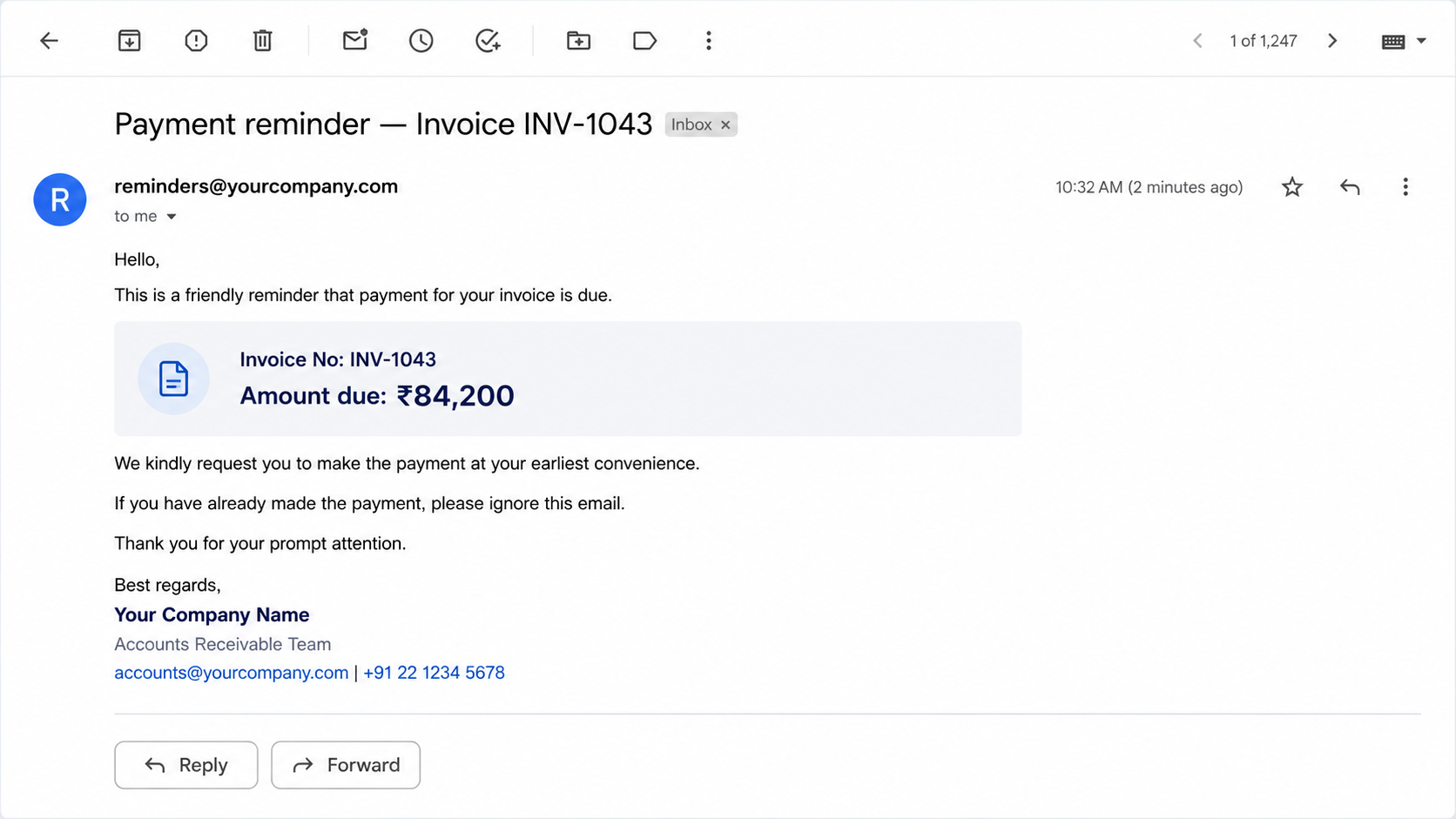
Sample output
How it works

Your mailbox, your receivables, chased — in four steps.

01

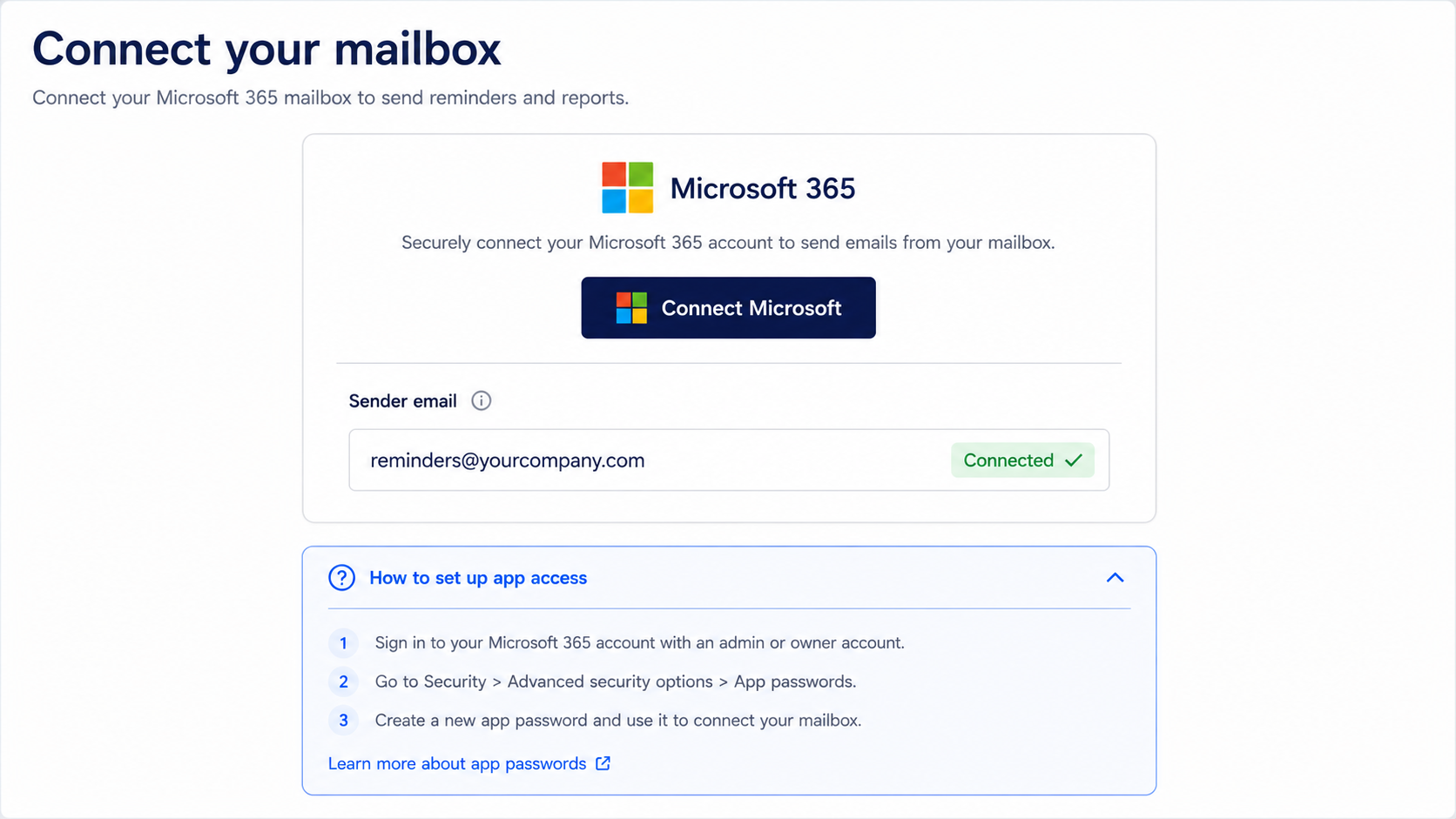
Connect your mailbox

Connect Microsoft 365 / Outlook in one click, or paste an app password for Gmail/Zoho/Yahoo. Reminders go out from your own address.

02

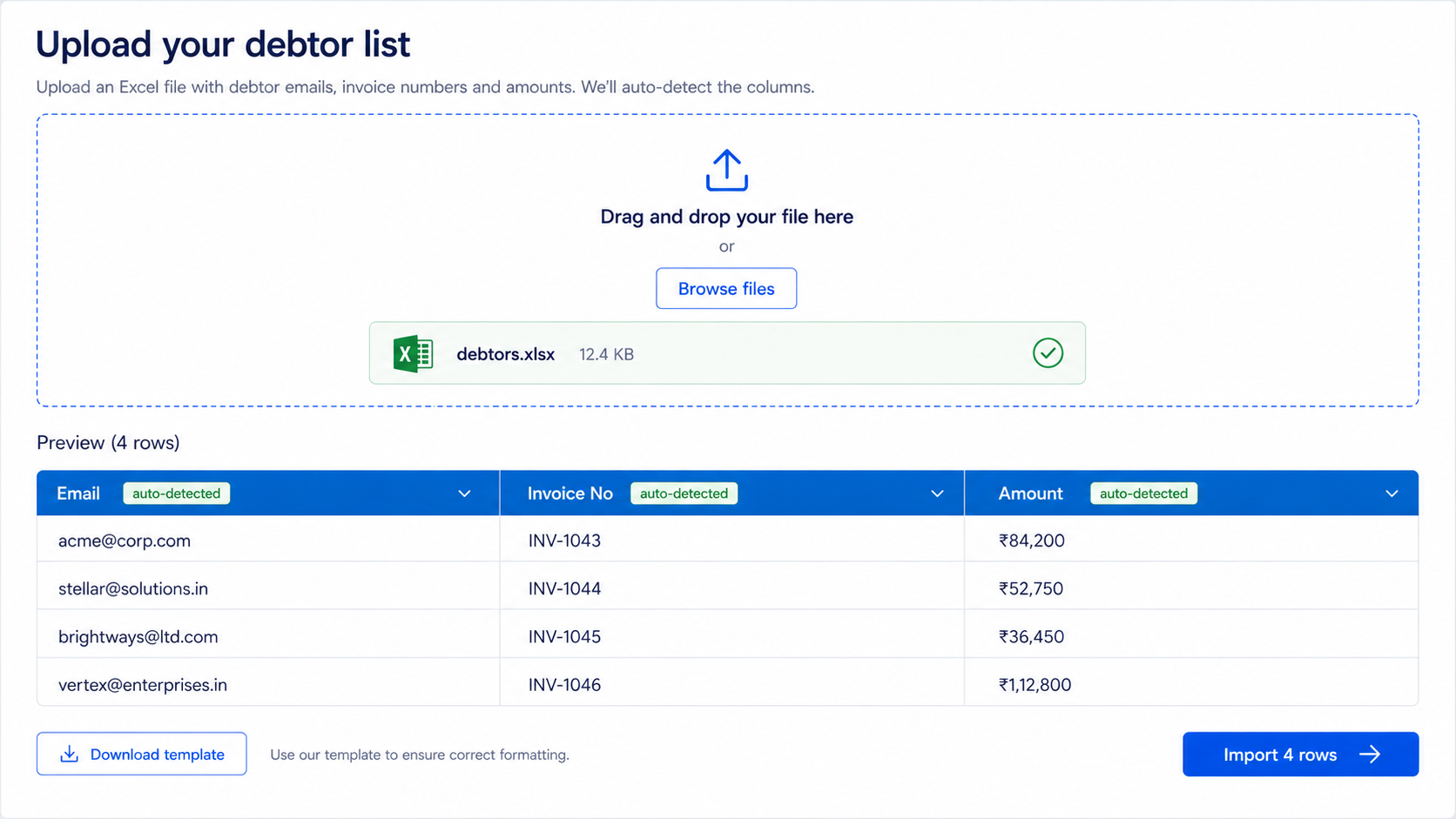
Upload your customer list

Drop a CSV or Excel file. We auto-detect Email, Name, Invoice, Amount and Due Date columns and skip blank or invalid rows.

03

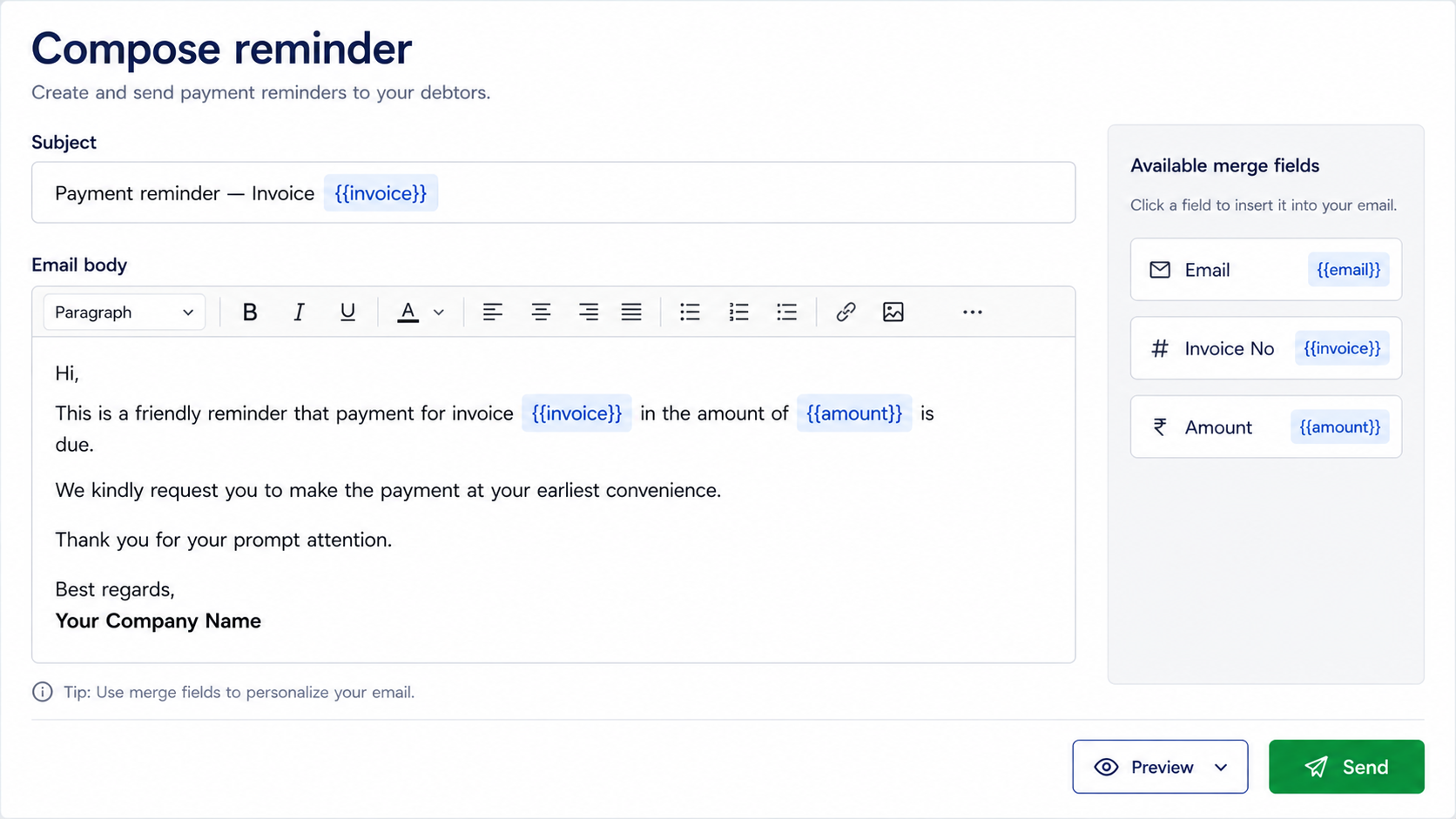
Write & merge

Compose a reminder with {{name}}, {{amount}}, {{invoice_number}}, {{currency}} and {{due_date}} — each one personalised per customer.

04

Send & track

We send through your mailbox and show a live delivery summary with a per-customer error log.

Chase dues, personally

Every reminder is merged with the customer's name, invoice number and amount due — no generic blasts, no manual copy-paste.

Your mailbox, your reputation

Send from your own Microsoft 365 / Outlook / Gmail / Zoho mailbox. No third-party credits, no shared sending IPs.

Invoice-aware templates

Reference the exact invoice and amount in each message, with automatic column detection from your existing receivables sheet.

What's in your output

A personalised reminder in every inbox — plus a live delivery summary.
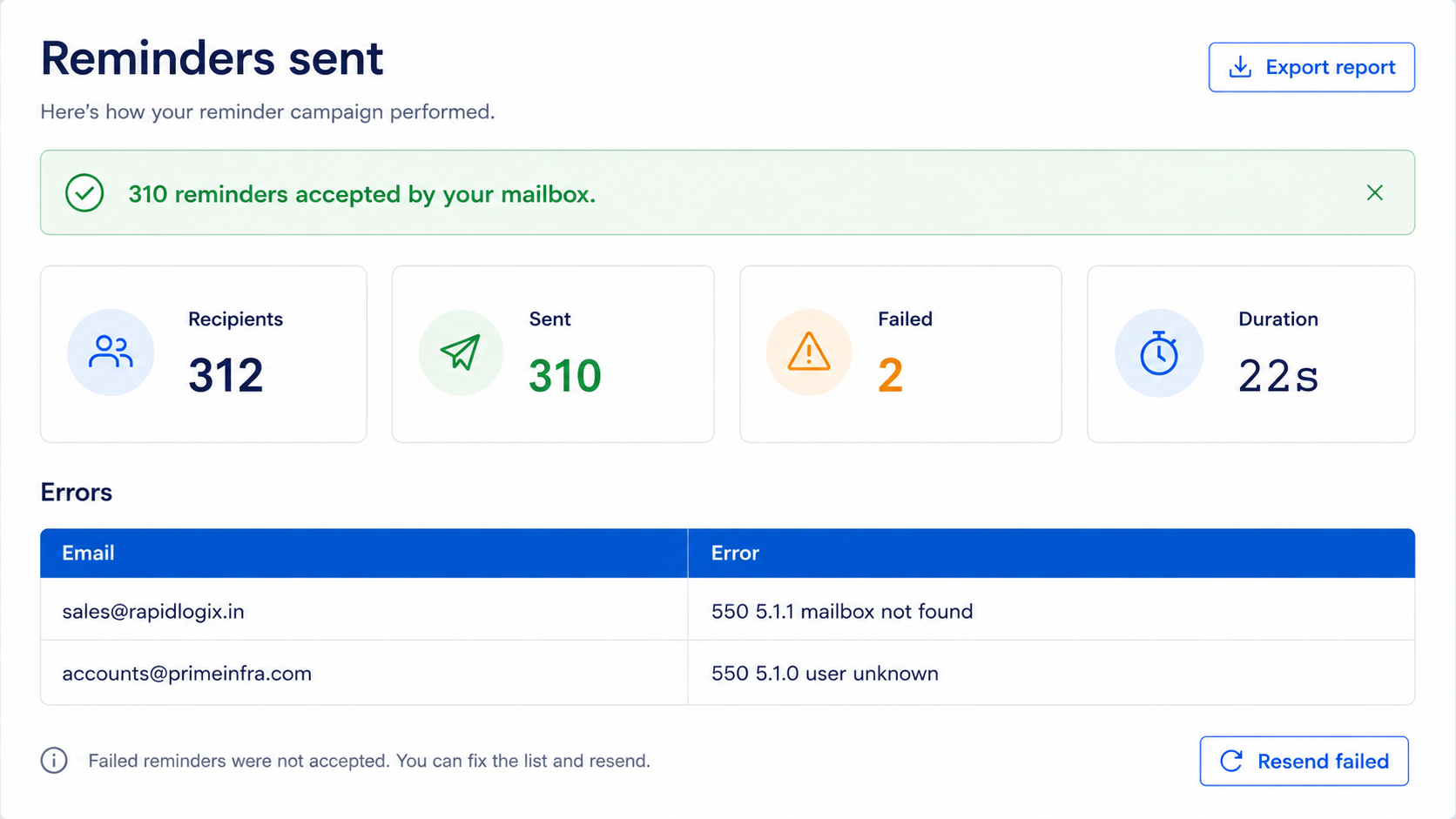
  • 01A personalised reminder per customer (name, invoice, amount, due date)
  • 02Sent through your own Microsoft 365 / Outlook / Gmail / Zoho mailbox
  • 03Auto-detected Email, Name, Invoice, Amount & Due Date columns
  • 04Invalid / blank rows skipped, with a count
  • 05Customers accepted from your file
  • 06Sent — handed off to your mailbox
  • 07Failed — rejected, with a per-customer error log
  • 08Send duration
  • 09Built-in app-password guides (incl. the M365 admin request)
  • 10Send another reminder run in one click